
A university CGPA calculator helps you turn course grades, grade points, and credit hours into a cumulative grade point average. The calculator can handle the arithmetic, but your university rules decide which courses count, how credits are weighted, how retakes are handled, and how the final number should be rounded. Use a calculator as a transparent worksheet, then compare the result with your official transcript rule before using it on a form, resume, scholarship application, or admission document.
University worksheetCGPA CalculatorEnter course grades, credit hours, and grade points to estimate a university-style CGPA.
Open calculator →What A University CGPA Calculator Does
A university CGPA calculator usually applies the same core idea: each course has a grade point, each course has credit hours, and the final average is weighted by those credits. A 4-credit course affects the CGPA more than a 1-credit course because it contributes more weighted grade points.
The calculator is most useful when it shows the method, not only the final decimal. A good worksheet should let you list courses, choose or enter grade points, add credits, see weighted points, check total credits, and review the formula. That makes mistakes easier to find before the number is used anywhere important.
Inputs You Need Before Calculating
Start with your official course list for the semester or program period you want to calculate. For each course, collect the final grade, grade point value, and credit hours. If your transcript already shows grade points, copy them directly. If it only shows letter grades, use the grade scale from your university handbook, transcript legend, syllabus, or student portal.
Do not guess the credits. Labs, thesis work, projects, internships, studios, practical courses, and electives may carry different weights from lecture courses. A calculator result can look precise even when the inputs are wrong, so the safest first step is to match the official course structure.
The Common University CGPA Formula
The common formula is CGPA = total weighted grade points / total credit hours. Weighted grade points are calculated as grade point x credit hours for each course. If a course has 9 grade points and 3 credits, it contributes 27 weighted points. If another course has 8 grade points and 4 credits, it contributes 32 weighted points.
After multiplying each course, add all weighted points. Then add all credits. Divide the weighted point total by the credit total. This gives the CGPA for the courses included in the calculation. Round only after the final division, because early rounding can shift the result.
Semester GPA Vs University CGPA
Semester GPA usually includes only one semester. University CGPA usually combines all completed semesters, or all courses that count toward the cumulative record. A student can earn a high semester GPA while the CGPA moves only slightly because previous credits still carry weight.
If you already know your previous CGPA and completed credits, convert the old CGPA back into weighted points: previous CGPA x completed credits. Then add the new semester weighted points, add the new semester credits, and divide by the combined credits. This is the cleanest way to estimate the updated cumulative result.
Official Rules That Can Change The Result
Universities may treat failed courses, repeated courses, withdrawn courses, pass/fail credits, transfer credits, and optional electives differently. Some schools replace an old grade after a retake. Some keep both attempts. Some count credits only after the course is passed. Some exclude non-credit requirements from CGPA completely.
These policies are the reason two calculators can produce different answers from the same transcript. The arithmetic may be correct in both, but the included courses and credit rules may differ. Before submitting a CGPA, check your regulation scheme, batch rules, examination notice, or registrar guidance.
How To Use A Calculator Safely
Use a calculator first as a planning tool. Enter the courses exactly as they appear in your official records, keep the scale consistent, and review the weighted point table. If the calculator allows custom grade points, adjust them to match your university scale rather than relying on a generic table.
Next, compare the calculator result with any transcript value you already have. If the result differs, do not assume the calculator is wrong or the transcript is wrong immediately. Check whether retakes, failed courses, rounding, audit courses, or excluded credits explain the gap. Differences often come from policy details, not arithmetic.
University CGPA Calculator Example
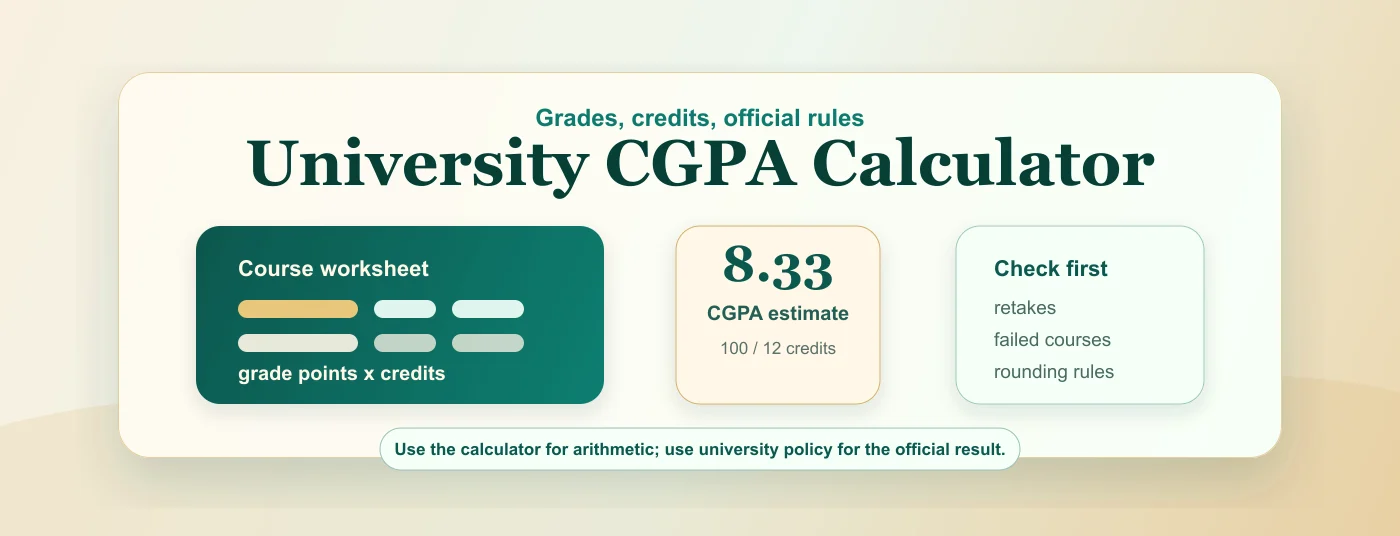
Suppose four university courses have these values: 9 points x 3 credits, 8 points x 4 credits, 10 points x 2 credits, and 7 points x 3 credits. The weighted points are 27, 32, 20, and 21. The total weighted points are 100, and total credits are 12.
The CGPA estimate is 100 / 12 = 8.33. If this is only one semester, call it semester GPA or SGPA if your university uses that label. If you combine it with previous completed credits, it becomes part of the cumulative CGPA calculation.
When A Generic Calculator Is Not Enough
A generic calculator is not enough when your university uses a special grading policy. For example, some schools cap retake grades, use grade bands instead of direct grade points, exclude certain practical courses, or calculate degree classification with separate rules. In those cases, a simple grade x credit worksheet may only be a rough estimate.
Generic calculators are still helpful for understanding the direction of change. They can show which courses carry the most weight and how much a new semester might affect the cumulative average. For official use, the university's method remains the source of truth.
How To Write The Result
When you write a university CGPA result, include the scale and avoid unsupported conversions. A clear format is CGPA: 8.33/10, calculated from course grade points and credits. If the result is an estimate, say estimate. If it comes from the official transcript, say transcript CGPA.
For applications, resumes, or scholarship forms, use the value requested by the form. If it asks for CGPA, submit the cumulative result. If it asks for latest semester GPA, use the semester result. If it asks for percentage or 4.0 GPA, follow the stated conversion rule instead of inventing one.
Common Questions
How do universities calculate CGPA?
Many universities calculate CGPA as total weighted grade points divided by total credit hours. The exact grade scale, retake policy, failed course rule, and rounding method can differ by institution.
What information do I need for a university CGPA calculator?
You need course grades or grade points, credit hours, and the official grade scale. For cumulative CGPA, you also need previous completed credits or all past course rows.
Why does my calculator result differ from my transcript?
Differences often come from retake rules, excluded credits, failed course handling, pass/fail subjects, or rounding. Use the transcript and university regulation as the official source.
Can I use a university CGPA calculator for applications?
You can use it for planning and checking, but official applications should follow the value and format requested by the form. When possible, use the CGPA printed on your official transcript.